
Hospitable Integration with HelloHost
Integrate Hospitable with HelloHost's AI to fully automate guest communications and streamline property management. Follow this comprehensive guide to set up your integration seamlessly.

Overview
Hospitable is an easy-to-use property management platform built to scale, simple to run one rental, and just as simple to manage a hundred. It helps hosts and property managers take control of the full guest journey with automation, built-in dynamic pricing, smart device tools, and support for major OTAs (like Airbnb, Vrbo, Booking.com, and more) plus direct bookings, all from one clean hub.
With the HelloHost AI + Hospitable integration, you can fully automate guest messaging directly inside your Hospitable inbox and deliver true 24/7 coverage. After a quick onboarding call, HelloHost connects to your Hospitable account, imports your selected listings, and goes live on your schedule, handling routine guest questions, staying on-brand with your tone of voice, and escalating complex issues to your team via SMS, WhatsApp, or Slack.
Key Features and Capabilities:
Instant, Human-Like Guest Replies
Responds immediately with a warm, on-brand tone, so guests feel taken care of while your team stays hands-off.
Smart Context Awareness Across the Entire Stay
Understands booking details, message history, house rules, and FAQs to deliver accurate answers from pre-booking through checkout.
Intelligent Learning + Brand Customization
Customize voice, policies, and property-specific details once, then scale across one listing or hundreds without losing consistency.
Escalations, Real-Time Notifications and Upsells
Automatically flags edge cases to your team via SMS, WhatsApp, or Slack, while confidently handling common requests and driving upgrades like early check-in, late checkout, and add-ons.
Auto-Generated Tasks That Keep Operations Moving
Converts guest messages into actionable tasks (cleaning, maintenance, operations), ensuring nothing slips through even during peak volume.
What Kind of Data Sources HelloHost Uses
HelloHost AI responds using information from:
Hospitable Listing Details – automatically imported and kept aligned with your live property information.
Your Custom FAQs in HelloHost – tailored per listing inside the HelloHost Portal, so answers match how you operate (not generic templates).
Past Conversation History – reads the entire thread and previous guest conversations to stay consistent, avoid repeating questions, and respond with the right context every time.
Real-Time Web & Maps Data – uses trusted online sources such as Google Search and Google Maps to answer location-based, directions, and nearby recommendations when relevant.
Other Data Sources You Share – any additional documents, notes, or guidance you choose to provide.
This ensures responses are accurate, personalized, and aligned with your property rules
Schedule and Complete an Onboarding Call
Sign up and schedule an onboarding call with the HelloHost team. Your account will be created together during this session and we will take down your preferences.
⚠️ Please note that this is a required step, otherwise your AI settings and notifications won't work.
Integration via OAuth + Import your Listings
Connect your Hospitable account with HelloHost
🔑
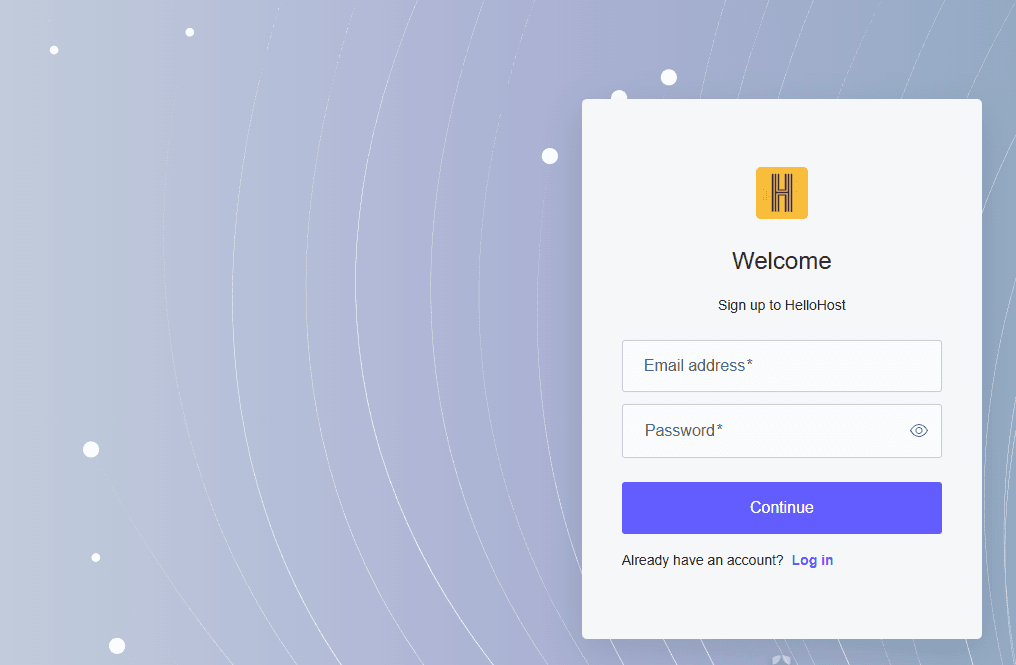
Go to HelloHost portal, click Sign up to create an account.
➕
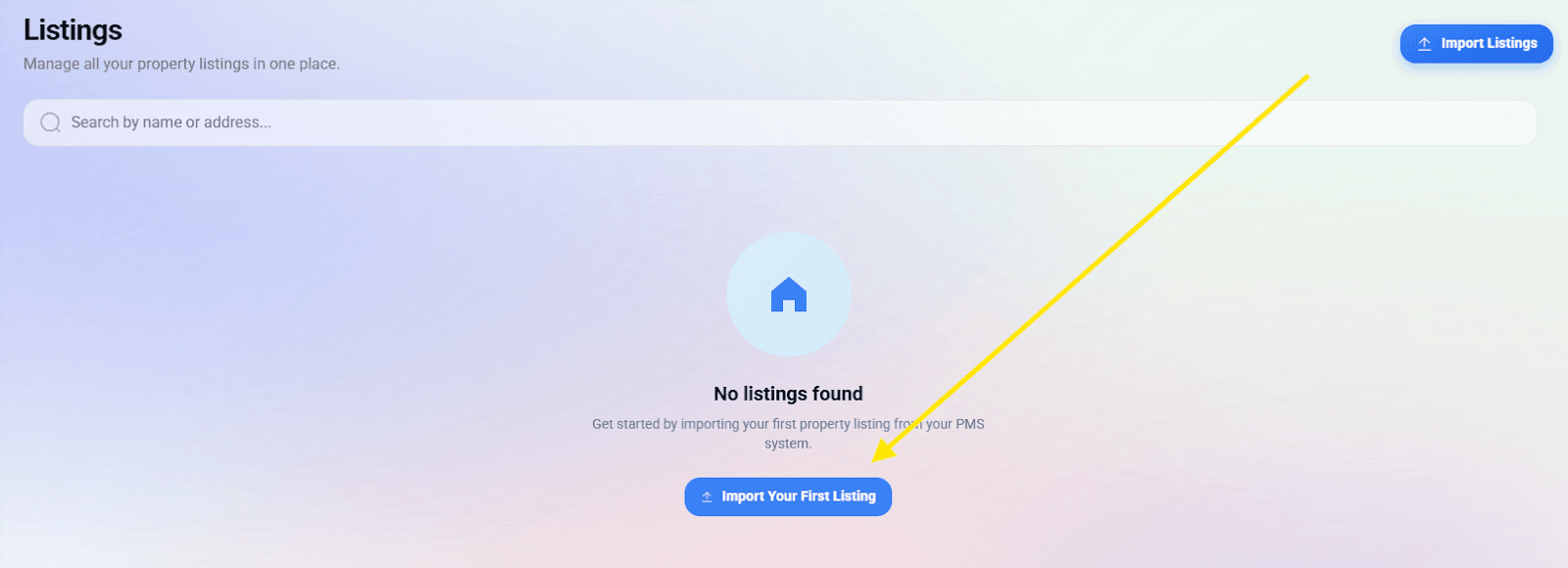
To connect your PMS, Click on 'Import Your First Listing' button.
📋
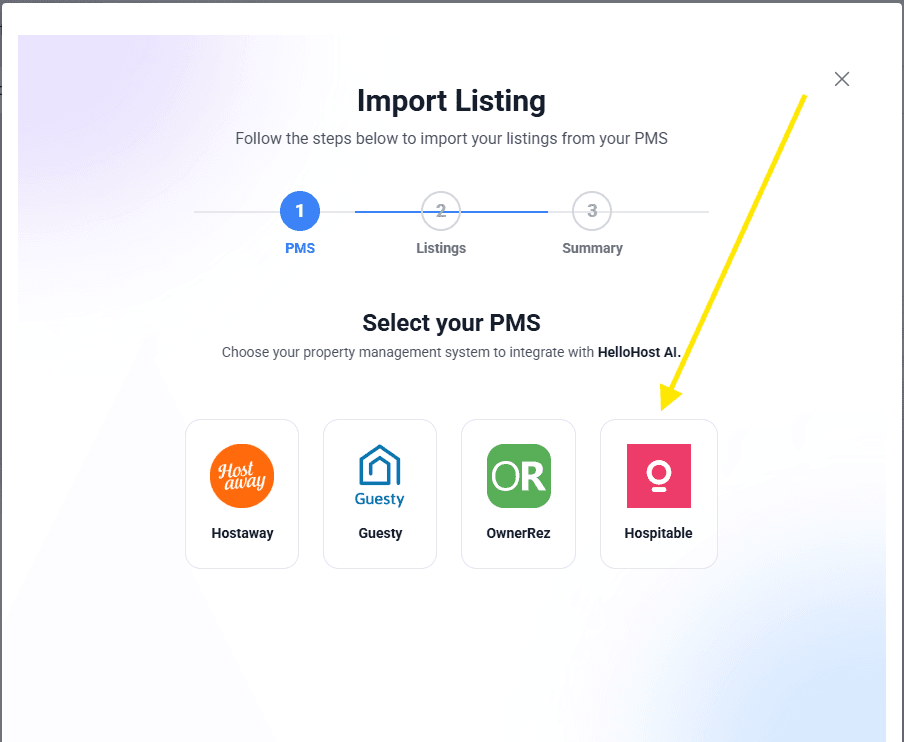
Select Hospitable as your PMS.
🔐
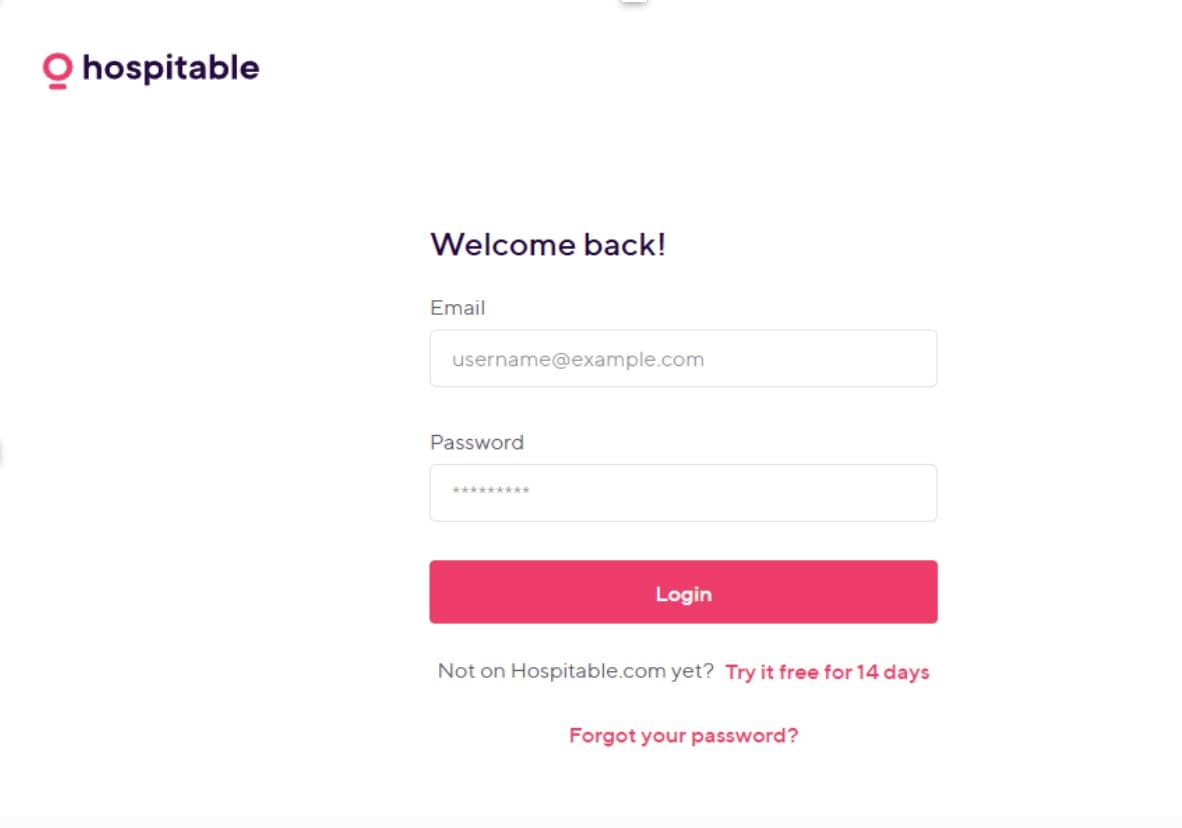
Login to your Hospitable account and authorize the connection to HelloHost.
✅
You'll see your Hospitable listings. Click on Import All, and then click on Import Listings.
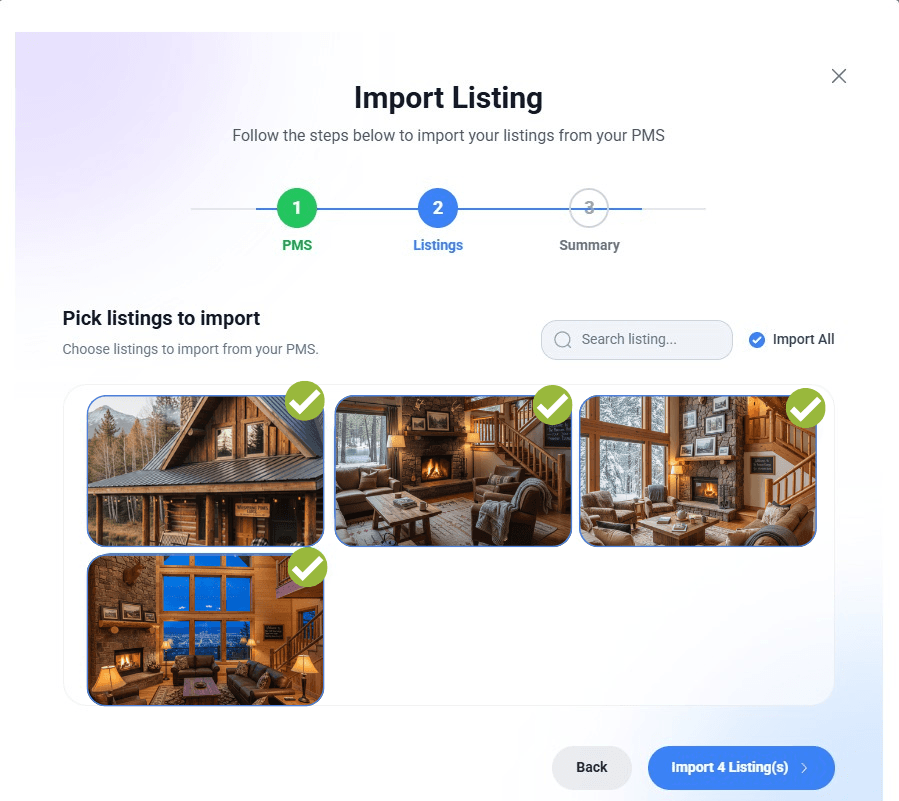
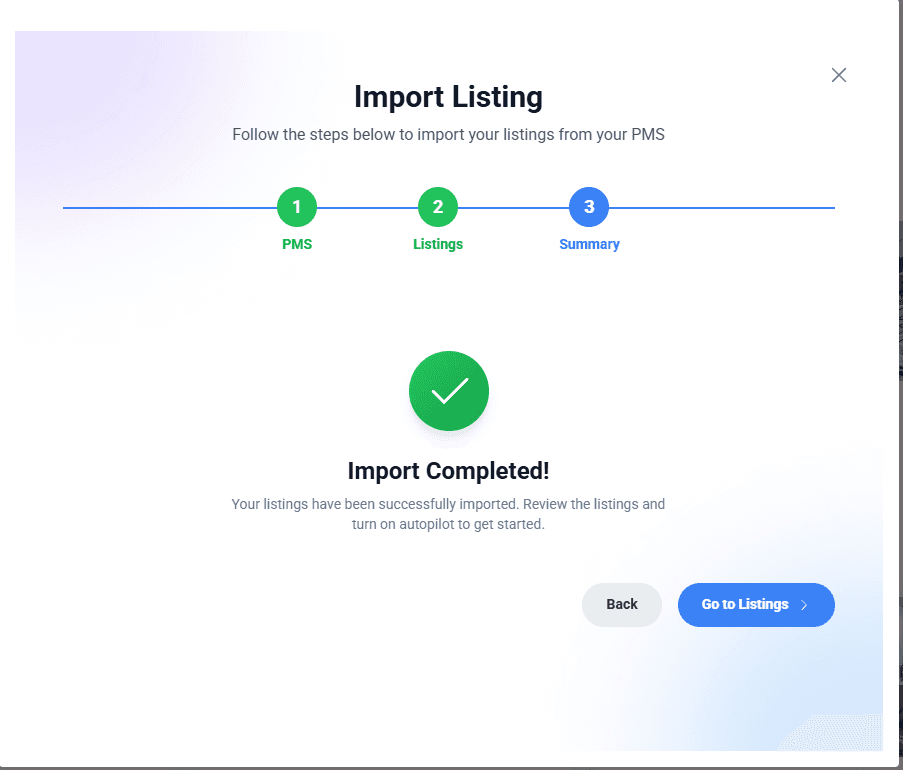
✅ Your Hospitable listings will now be imported into HelloHost.
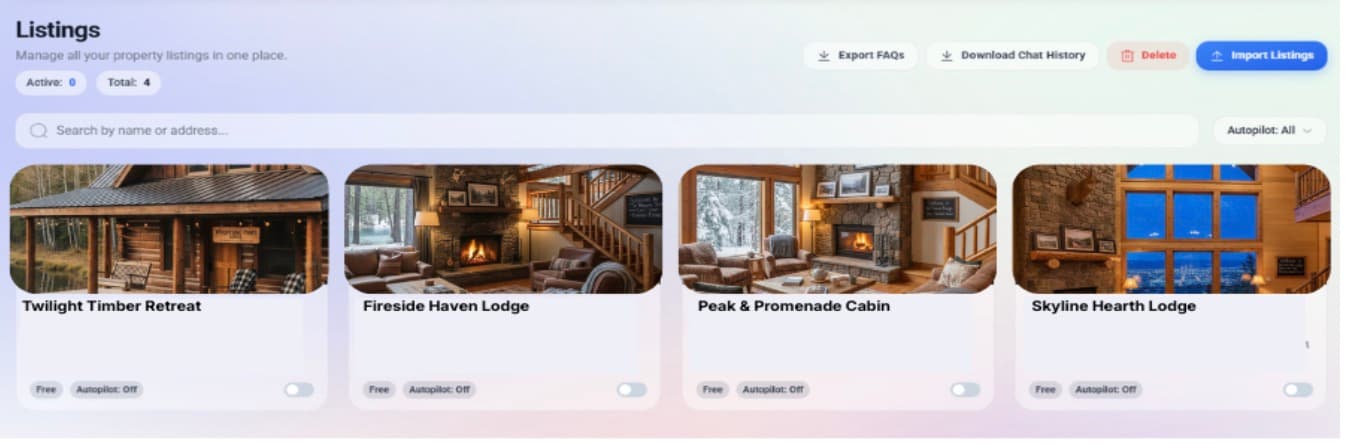
Go-live
During the Onboarding call, we will work with you to set a "go-live" date, at which point the AI will begin responding to your guest messages. Concurrently, the AI will begin sending you any notifications from the conversations (the notifications are set up during the onboarding call).
You can turn off or on any of your listings or even conversations directly inside your account.
🛠️ Troubleshooting
📶Connection Issues
Clear browser cache/cookies or try a different browser.
💬 Support
If you encounter any issues, please reach out to us at cs@hellohostai.com for assistance.
📧
Email Support
cs@hellohostai.com
Ready to Get Started?
Transform your guest communication with HelloHost's AI-powered automation. Schedule your onboarding call today and experience the future of hospitality management.
